
Companies to Send Wedding Invites to: Buying Guide (2026)
Compare invitation companies by documented paper, printing and sample options, then check your complete suite and proof process before ordering.
Last updated October 2026
Contents11
- Companies to send wedding invites to: compare the ordering options
- Minted: start with the print method
- Zola: compare the card with your planning setup
- Basic Invite: check the custom text and colors
- Shutterfly: check personalization and paper together
- Vistaprint: compare the whole paper order
- Papier and Shine: compare design fit and guidance
- What to ask a local printer or independent seller
- Order samples before the full suite
- Work through a full order example
- Verdict on choosing an invitation company
If you're comparing companies to send wedding invites to for printing, start with your suite and reply needs. Minted, Zola, Shutterfly, Vistaprint, Papier and Shine offer different design and ordering routes. Choose a company after checking a sample, the matching cards you need, and the proof process for your actual wording.
The short answer: shortlist printers by paper, print finish, samples and matching stationery. Compare the whole suite, including envelopes and reply cards, before ordering. A physical sample checks the paper and color; a proof checks your text. Confirm digital RSVP separately from printed response cards, and use the supplier's written delivery schedule to plan your mailing date.
Companies to send wedding invites to: compare the ordering options
The table below summarizes features described on each company's own invitation pages. Each name links to that source. Features can depend on the specific design, so check the chosen product before placing a full order.
| Company | Documented options | Sample and suite checks |
|---|---|---|
| Minted | Digital, letterpress and foil-pressed printing; matching response cards and wedding websites | Sample kits; confirm the finish and matching cards for your design |
| Zola | Paper choices, foil accents and letterpress designs in its invitation catalog | Sample options shown in the catalog; check the suite pieces and online response setup |
| Basic Invite | Editable text, fonts and colors; foil designs in the catalog | Sample ordering route; check your chosen card and extra pieces together |
| Shutterfly | Personalized invitations, paper choices and foil options | Check the paper offered for the chosen design and which extra cards coordinate |
| Vistaprint | Paper stocks and finishes; matching response cards, save-the-dates and enclosures | Wedding sample kit; confirm the complete order before printing |
| Papier | Wedding invitation designs grouped by theme | Review the individual invitation and any coordinating pieces you want |
| Shine | Invitation suites, paper choices and wording guidance | Custom sample route and coordinated suite planning |
Scroll for more →
These are shopping routes rather than a ranking. A couple who wants a pressed print finish may compare different products from a couple who wants a simple printed card. Write down the feature you need first, then look for it in the specific product's order form.
The wedding invitation guide helps you choose printed, digital or mixed invitations. Decide that format before comparing stores, so you're comparing the same job.
Minted: start with the print method
Minted's invitation page describes digital, letterpress, foil-pressed and gloss-pressed printing. It also describes coordinating stationery and sample kits. If the tactile finish is part of your design choice, choose samples that show the method you plan to order.
Look at the longest names in your wording and the length of your host line. Ask whether the layout can fit them at a readable size. Check the main card and each insert as a set before approving the proof.
For digital replies, check the website's RSVP settings directly. A matching website design tells you about appearance; you still need to verify which events and guests the response system can handle. Don't treat a matching design as proof that every RSVP feature you need is included.
Zola: compare the card with your planning setup
Zola's own catalog shows invitation templates, paper options, foil accents and letterpress designs. It provides sample routes from the invitation listings. That gives you a way to compare a shortlist before committing to one design.
If you already use a wedding website, decide whether you want to keep that site or use a new one. Test the response route with a fictional household. Check whether a household can decline, enter meal choices and see only its invited events.
Ask what comes with the physical invitation order. Keep cards, envelopes and any address printing on your order checklist. Check those details in the selected product rather than assuming they're the same across all designs.
Basic Invite: check the custom text and colors
Basic Invite's own invitation page describes editable text and color choices, with a sample-ordering route in its catalog. Enter your full wording before choosing the final design. Check the color on a physical sample if a pale background or subtle ink is part of the plan.
Ask whether the sample will show your exact choices or a generic example. Compare the main card with the response and details cards you need. Keep the guest reply method on your order checklist rather than assuming a printed response card provides an online form too.
Shutterfly: check personalization and paper together
Shutterfly's invitation page describes personalized designs, paper options and foil treatments. Choose the design and paper as a pair. A pale floral layout on one paper can feel quite different from the same layout on another.
Open the design editor and enter your real wording before judging the layout. A short sample name can make a template look roomy. Your full host line, church name and venue address may need more space.
If you want coordinating stationery, search for the exact design in the card types you need. A similar color palette may be enough for your suite, but decide that before ordering. Keep any website RSVP arrangements on a separate checklist unless the selected product explicitly includes them.
Vistaprint: compare the whole paper order
Vistaprint's own invitation page lists paper and finish choices and a wedding sample kit. It also describes matching RSVP cards, save-the-dates, envelopes and enclosures. That makes the suite itself a useful starting point for a comparison.
Build a complete draft order with the main card and each extra piece. Check the number of envelopes, whether the reply envelope is part of the response-card order, and which files need approval. A printer may need separate artwork for the front and back.
If you upload your own design, ask for the required file dimensions and safe margins. Those are printing requirements, not wording rules. Read them before exporting the final design, so no text sits too close to the trim edge.
Papier and Shine: compare design fit and guidance
Papier's US invitation catalog groups designs by theme. Use the categories to narrow the visual style, then inspect each product. Check the paper, dimensions and coordinating items at the product level rather than treating the whole catalog as one set of specifications.
Shine's own catalog describes complete suites, paper choices, a custom sample route and wording guidance. That route may suit a couple who wants to choose several coordinated pieces together. Send the real host line and event details when discussing the suite.
For either company, decide which cards you actually need. A beautiful sample with several inserts doesn't mean your wedding needs every insert. Compare the proposed set with the required elements checklist before approving it.
What to ask a local printer or independent seller
A local printer can be another route. Bring your proposed text, guest-household count and a sample design. Ask what they can print themselves, what they outsource, and how you'll approve the finished work.
If you shop through an Etsy seller, check the specific listing. Find out whether you're buying a digital file, editable template or physical printed suite. The marketplace name alone doesn't tell you who prints the cards or what is included.
Ask these questions before paying for any custom work:
- Can I see a physical sample of this paper and print method?
- Which cards and envelopes are included in the scope?
- How many proof rounds does the order include?
- Who checks the names and event details?
- What is the delivery date after proof approval?
- What happens if I need a correction or another small batch?
- What file type, bleed and trim settings do you require?
Keep the answers in writing. Use the invitation card design guide to understand the design choices before you discuss them with a printer.
Order samples before the full suite
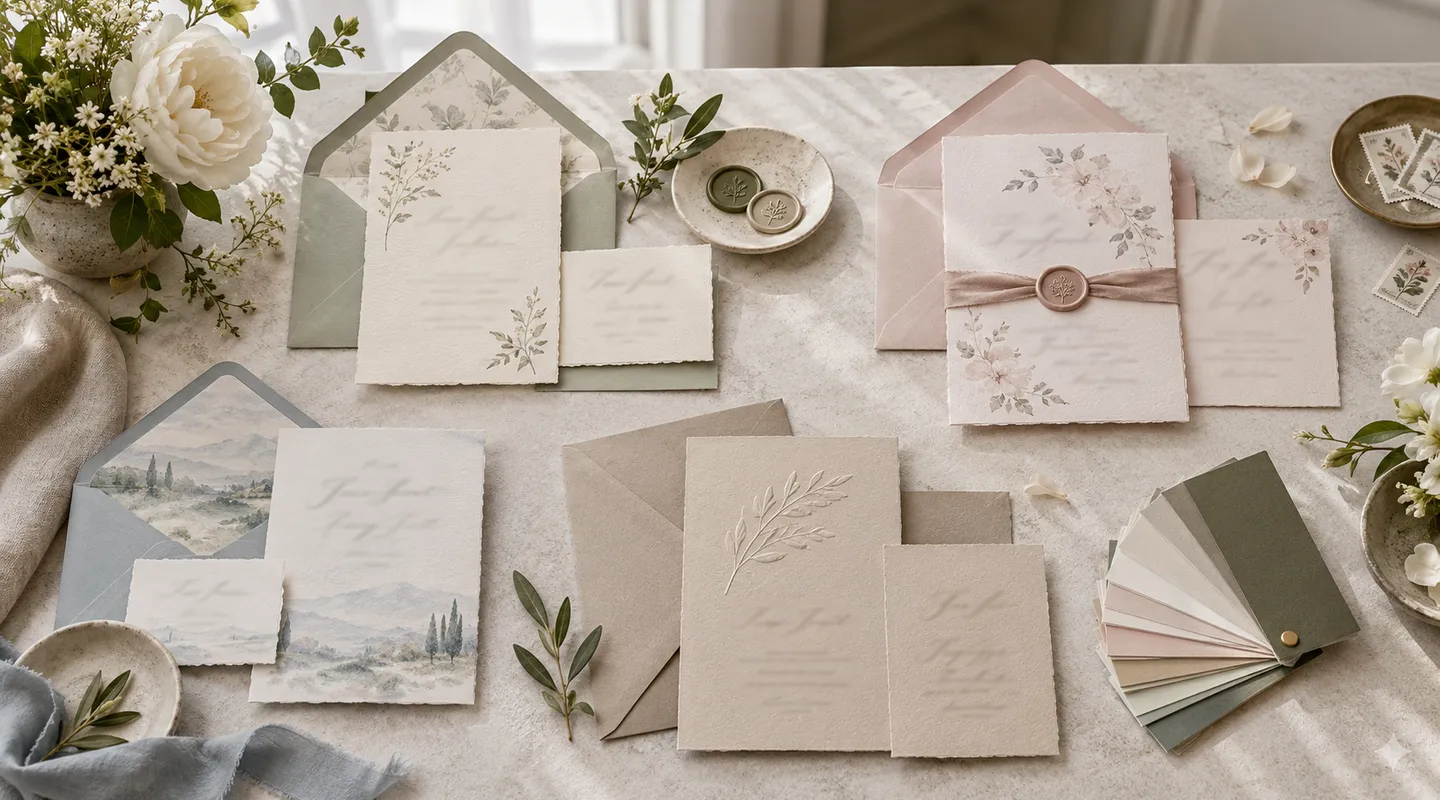
Compare samples in the same light, beside the other stationery you plan to use. Feel the paper and inspect the edges. Look at a small line of text, a pale color and a dark area. Those details can tell you more than a large photograph of the design.
Separate a generic sample kit from a custom sample of your own invitation. A generic kit shows paper and print options. A custom sample can show your selected layout. Ask which type you're ordering.
Make a short score sheet using your own priorities: readable wording, paper feel, finish, coordinated cards and proof help. You don't need a universal rating. You need to know whether the printer fits this wedding.
Work through a full order example
Suppose you expect 120 invited people across 68 mailing households. Your starting card count is based on those 68 households, then you add the spare and keepsake copies you choose. The response list still tracks all 120 people individually.
Your suite includes a main invitation, details card and online reply route. Ten households also need a rehearsal dinner insert. Put those quantities on the quote request as separate lines. That prevents a printer from supplying the dinner insert for every household.
Check the details-card guide and response-card guide before placing the order. For production and mailing dates, use the invitation calendar.
Verdict on choosing an invitation company
Choose companies to send wedding invites to by the work you need them to do. Compare a real sample, your complete suite and the proof process. Once a printer fits those needs, check the final quantities and delivery date, then approve the text carefully before production starts.
Questions people also ask
How should I compare invitation companies?
Compare the complete suite you need: main card, extra cards, envelopes, print finish, sample route and proof process. Check the specific product rather than assuming every catalog design offers the same options. Confirm the delivery schedule after proof approval.
Does a sample kit show my actual wording?
Not always. A generic kit usually shows paper and printing choices. A custom sample may show your selected design or text. Ask the company which type you are ordering, and still check a final wording proof before approving production.
Can a local printer make wedding invitations?
Ask the printer to show an example of the paper and print method you want. Bring your text and card quantities, then confirm the files, proof process, envelopes and delivery date in writing. Check whether any part of the order is outsourced.
Do invitation companies include digital RSVPs?
Check the actual website or reply service separately. A matching website design does not establish every response feature you need. Test household limits, meal choices and private events before deciding to use that route for your guests.